
BIMTLY 3D Studio
Import CAD models, build interactive product experiences, and share them anywhere — no plugins, no installs.
Connect with all your favorite tools and apps
Import from top professional software






Integrate with any website and share effortlessly on social platforms





and many more...
Import your CAD models in seconds
Server-side processing compresses models up to 90% — they load fast on any device, no workstation required.
- GLB/GLTF, FBX, OBJ, STL, DAE, 3DS, STEP, and IFC formats
- Opens on phones, tablets, and laptops
- No plugins, no installs
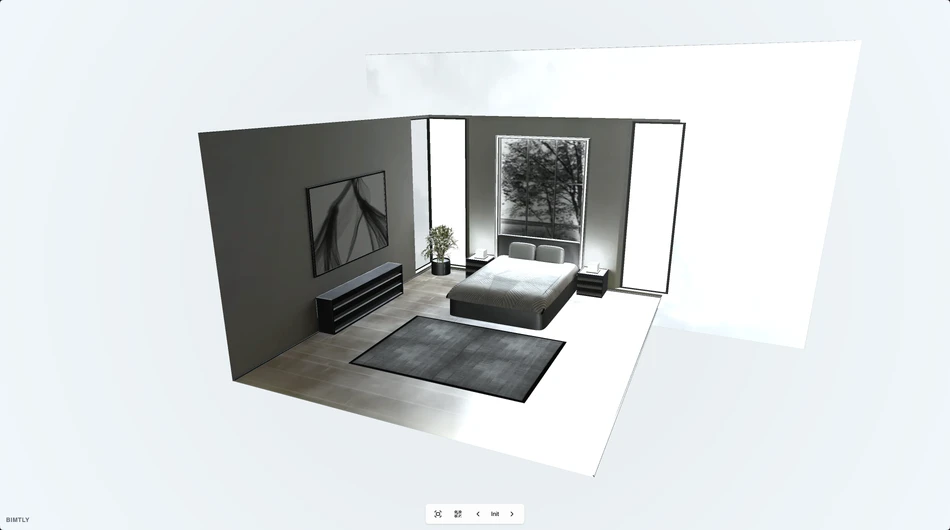
Realistic materials and lighting
Full PBR material editor with real-world lighting, sun simulation, and shadows. Your products look exactly how they should — on every screen.
- PBR materials — albedo, metalness, roughness, normal maps
- HDRI environment lighting with rotation control
- Sun simulation by date, time, and location
- Screen-space reflections and configurable shadows
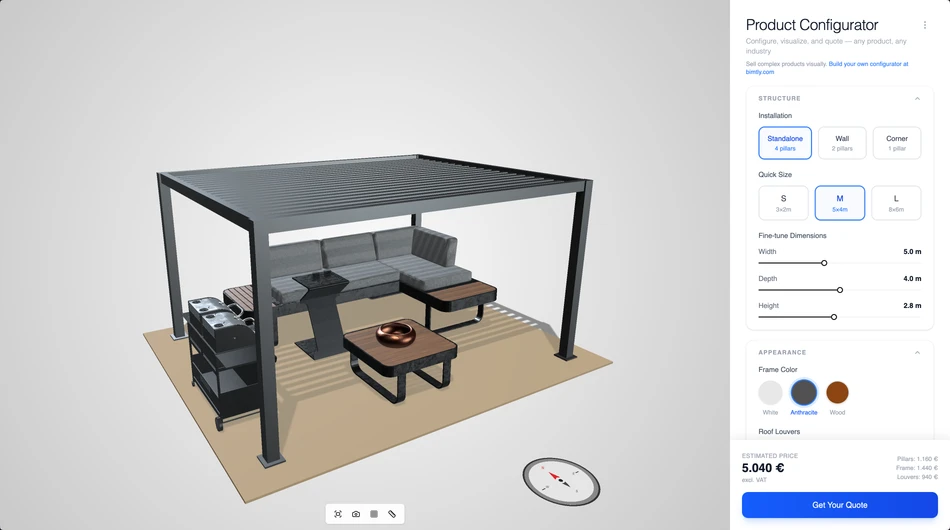
Configure. Price. Quote.
Turn your 3D model into a sales tool. Customers pick options, the product updates live, the price recalculates, and one click generates a quote. Embed it on your website.
- Visual product configurator with live 3D preview
- Parametric and discrete variant axes
- Real-time price calculation as options change
- One-click PDF quote generation
- Embeddable on any website
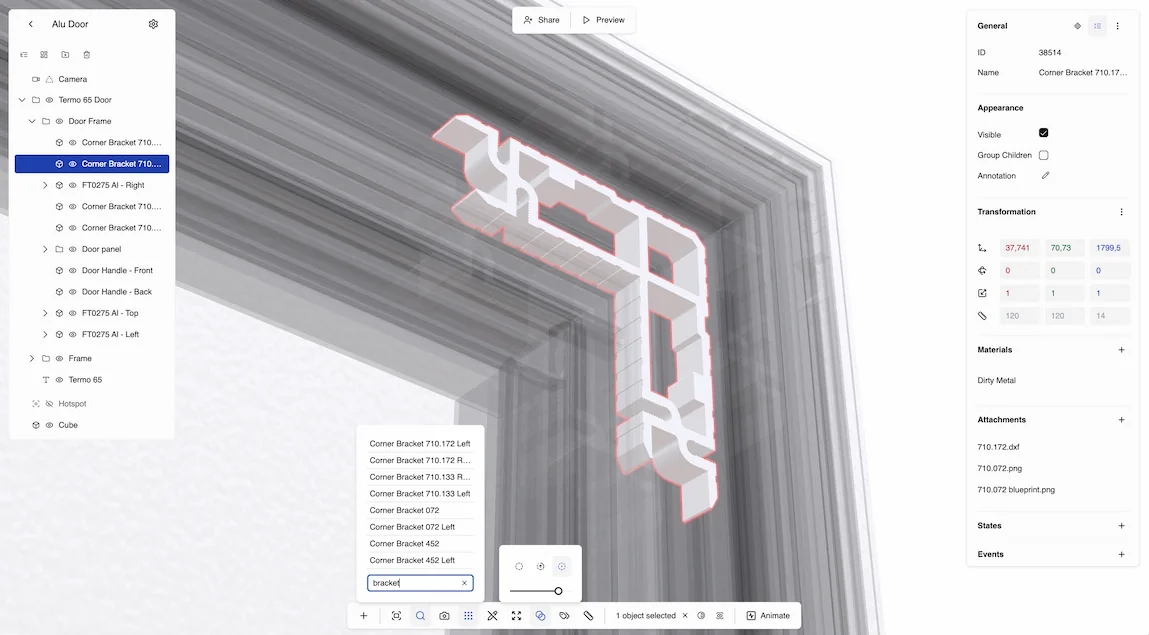
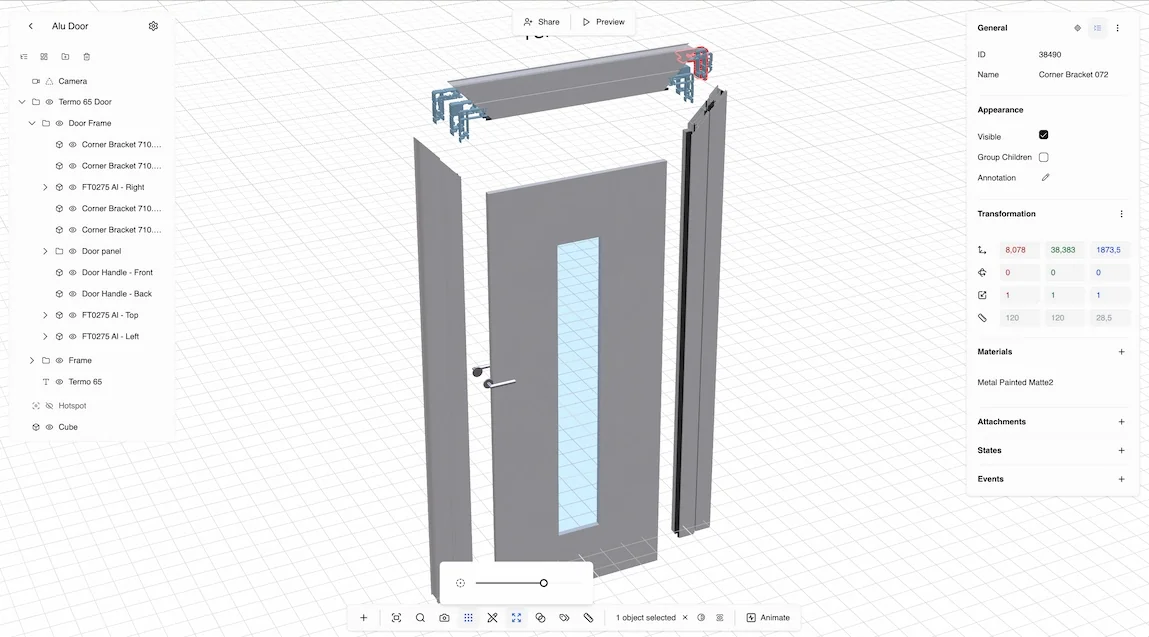
Explore every detail
See inside assemblies without opening CAD. X-ray through layers, pull parts apart, cut sections at any angle, and measure anything — all in the browser.
- X-ray mode with selection filtering
- Explode view with hierarchical expansion
- Section cuts at any angle and depth
- Measurement tool for distance calculations
- Isolate individual parts instantly
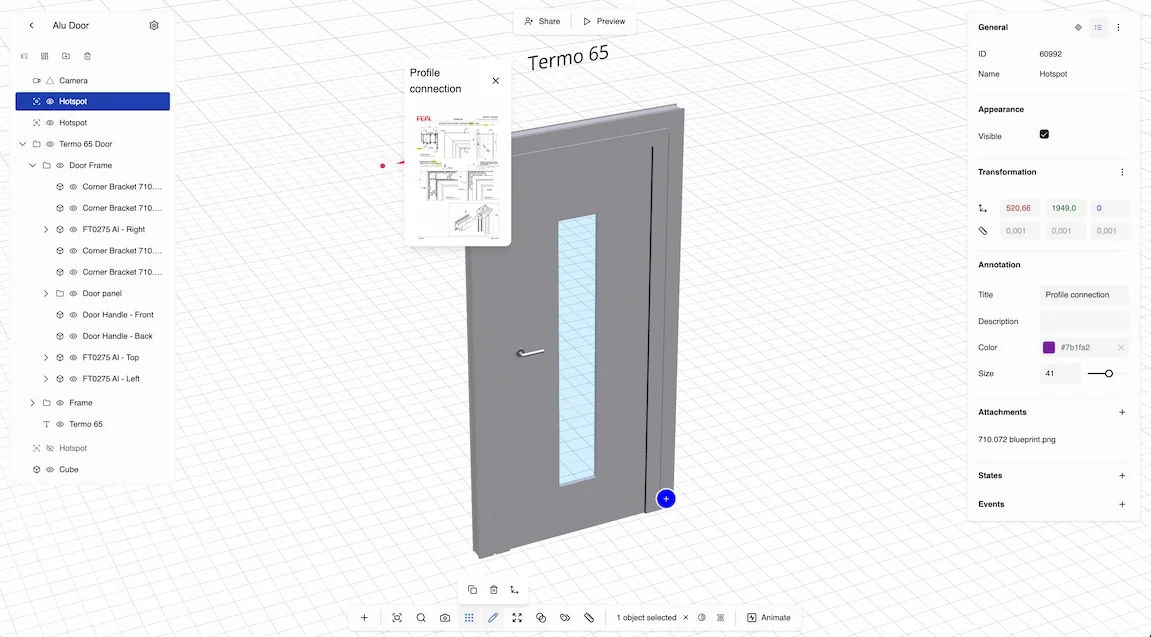
Animate and interact
Show how your product opens, assembles, and transforms. Add clickable hotspots, camera animations, and state presets. Turn any model into a product story.
- Timeline animations with keyframes and easing
- Camera presets for guided walkthroughs
- Object states for variant switching
- Interactive hotspots with rich descriptions
- Event-triggered transitions
Link parts to your data
Click a 3D object to see its price, spec, and supplier. Click a record to highlight it in the scene. Your 3D models become a visual interface to your product catalog.
- Bind objects to collection records
- Auto-generated bills of materials
- Click-to-navigate between 3D and data
- Visual search across scenes
Share a link. Done.
One link opens your 3D scene anywhere — phone, tablet, or desktop. Embed the viewer on your website with your branding, or generate a QR code for print.
- Public or private sharing links
- Embeddable viewer with custom branding
- QR code for instant mobile sharing
- Works on every device, no downloads
- Real-time multiplayer collaboration